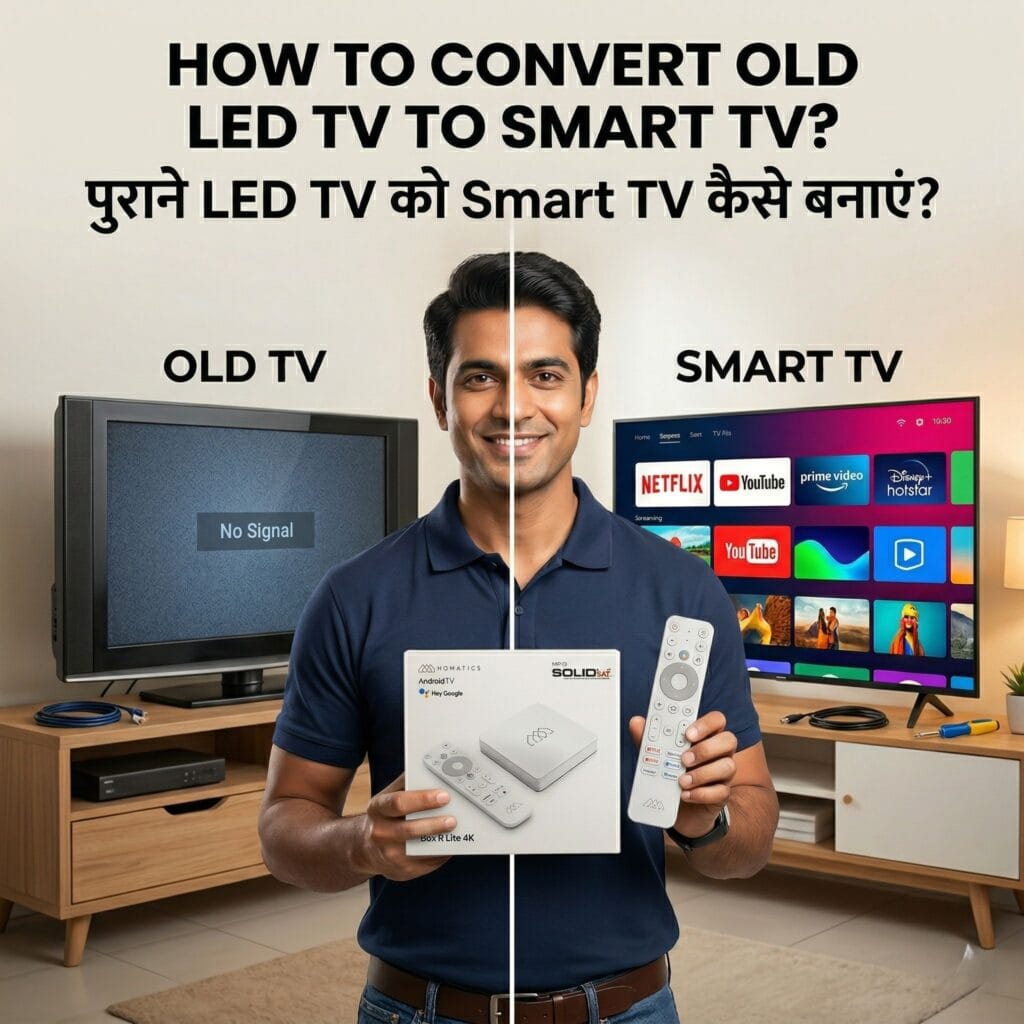
How to Convert Old LED TV to Smart TV? (पुराने LED TV को Smart TV कैसे बनाएं?) Every day on the field, DTH mechanics and local installers face the exact same question from their clients: “भैया, मेरे पुराने LED TV में YouTube और Netflix कैसे चलेगा?” (Brother, how will YouTube and Netflix run on my old LED TV?). As a professional, you need a highly reliable answer for how to convert an old LED TV into a smart TV without asking the customer to throw away their perfectly good screen. The market dynamics have shifted. Customers no longer just want free-to-air satellite channels; they want OTT platforms, live sports on internet apps, and 4K movies. When you provide the right hardware solution, your customers get a premium experience, and you secure a high-margin installation that builds trust. Let’s dive deep into the best methods, the hardware you should avoid, and the ultimate upgrade you should be offering. Why Do Old Smart TVs Stop Working? (पुराने TV काम करना क्यों बंद कर देते हैं?) Before we answer “पुराने LED TV को Smart TV कैसे बनाएं”, it is important to understand why customers are complaining in the first place. Many customers bought “Smart TVs” 4 or 5 years ago, but today, YouTube hangs, and Netflix simply refuses to open. This happens because TV manufacturers provide very little RAM (often just 1GB) and weak processors. Over time, as apps update and become heavier, the TV’s motherboard cannot handle the load. The software becomes outdated, and the TV turns into a “dumb” screen. As a mechanic, you need to explain to your customer that their TV’s screen is fine, but the “brain” of the TV is outdated. The solution is to attach a new, powerful external brain. Cheap Android Boxes vs. Premium Certified Boxes (सस्ते Box और Premium Box में क्या फर्क है?) When a customer asks “पुराने LED TV को Smart TV कैसे बनाएं”, the first instinct for many local shop owners is to sell a cheap, unbranded local Android box. But is it really the right choice for your business? The Trap of the Cheap Box (सस्ते डब्बे का नुकसान) Cheap boxes (costing around ₹1,000 – ₹1,500) work fine for the first two weeks. However, they lack official licensing. They do not have Widevine L1 DRM certification. This means that even if the customer pays for a premium Netflix or Prime Video subscription, the cheap box will only play videos in low-quality 480p, not HD or 4K. The picture will pixelate on a big screen. Furthermore, these local boxes use cheap motherboards that overheat within an hour of use. The box hangs, the remote stops working, and the customer gets frustrated. इससे mechanic को बार-बार complaint आती है और time waste होता है (This brings repeated complaints to the mechanic and wastes time). A cheap box might save you ₹200 today, but it ruins your reputation as an expert installer tomorrow. The Ultimate Solution: Homatics 4K Google Certified Android TV Box If you want a zero-complaint solution, the Homatics 4K Android TV box is the premium upgrade you need. यह एक official Netflix certified Android box है (This is an official Netflix certified Android box). It guarantees that premium apps will run flawlessly, instantly upgrading their standard LED screen into a high-end, lag-free smart TV. Top Features for DTH Mechanics (मैकेनिक के लिए सबसे बड़े फायदे) When you install this box, you are giving your customer peace of mind, and saving yourself from future service calls. Here is why the Homatics box stands out: 100% Original 4K Quality: Netflix, Prime Video, Disney+ Hotstar, and YouTube run smoothly without pixelating. Customer की complaint zero हो जाएगी (The customer’s complaints will become zero). Official Google Certification: This means the Google Play Store is fully unlocked and officially supported. Customers can download any app securely. Dolby Vision & Dolby Atmos: Brings cinema-like sound and picture quality to standard setups. If the customer has a home theater, this box will pass through the highest quality audio. Zero Hang Problem: Built with a heavy-duty processor and ample RAM, this box does not heat up even after 10 hours of continuous use. एक बार लगाओ और भूल जाओ (Install it once and forget about it). Licensed Web Software Support: If your client has specific requirements, you can source any licensed software that these guys install from the web, and this premium hardware will support it safely without crashing. How to Sell This to Your Customer (कस्टमर को कैसे समझाएं?) As a B2B professional, your job is also to educate the buyer. When they ask “पुराने LED TV को Smart TV कैसे बनाएं”, use this exact script: “Sir, I can give you a ₹1,200 local box, but it will hang in two months and Netflix will look blurry. Since you have a good TV screen, let’s attach the original Homatics 4K Box. It is officially certified by Google. Your TV will become faster than a brand new ₹40,000 Smart TV, and I guarantee it won’t hang.” This builds immediate trust and justifies the premium price of the hardware. Easy Setup Guide (इसे 3 मिनट में कैसे Setup करें?) Installing this box is faster than aligning a satellite dish on the roof. When your customer is ready, follow these simple steps to complete the installation: Connect the HDMI: Plug the provided HDMI cable into the Homatics 4K Android TV box and connect it to the HDMI 1 or HDMI 2 port on the back of the old TV. Power Up and Select Source: Plug in the power adapter. Use the old TV’s remote to change the input source to the correct HDMI channel. Connect to Internet: Use the Homatics remote to go to settings and connect the box to the customer’s home WiFi router or mobile hotspot. Google Login: Log in using their personal Gmail ID. अब यह TV पूरी तरह से एक High-Speed Smart TV बन चुका है (Now this TV has completely become a High-Speed Smart TV).